Fiesta / Salsa photo booth template size (2x6 and 4x6)
What Photobooth Supply Co's own help page states for Fiesta / Salsa templates, as we read it on 13 November 2026:
| Overlay | PNG, transparent required |
|---|---|
| Background | JPG or PNG |
| Sizes stated | 2x6: 600x1800 or 1800x600; 4x6: 1200x1800 or 1800x1200; max 300 ppi |
| Photo positions | not stated on the page read |
Source: Photobooth Supply Co: File Requirements Cheat Sheet. Vendors change their pages, so check the link before a big print run.
What the page does not state
- Where the photos go. The cheat sheet gives canvas sizes only; you set the photo positions in the app's template.
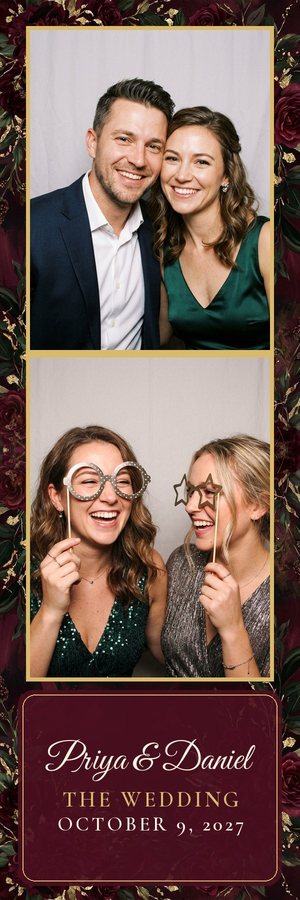
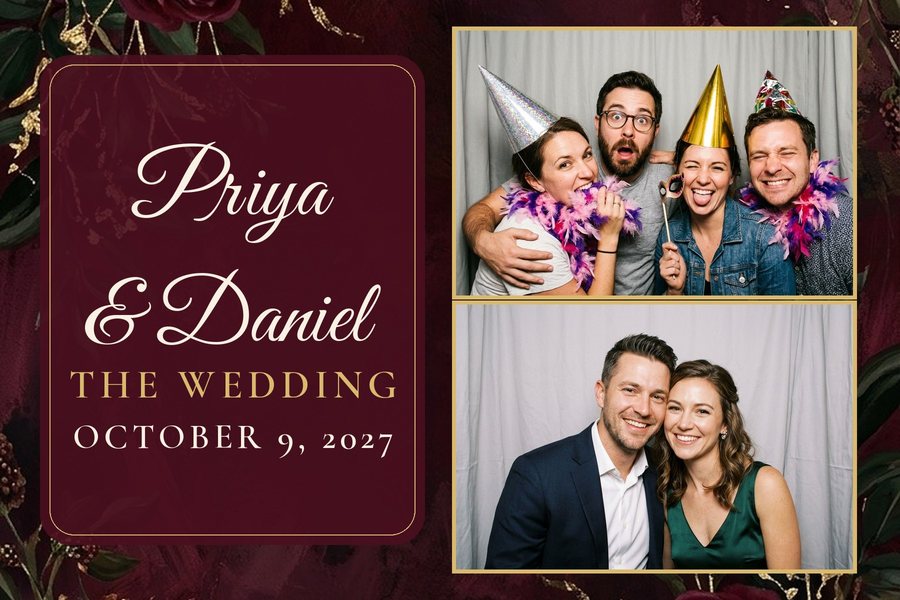
What a Text A Design pack gives you for Fiesta / Salsa
The 2x6 strip folder (600x1800) and both 4x6 folders (1800x1200 and 1200x1800) are sizes on Fiesta's cheat sheet (width x height). The sideways (landscape) 2x6 that Fiesta also lists is not in the pack.
Use overlay.png as the template's overlay (it is a transparent PNG), or background.jpg as the background. Then set the photo positions in the app's template using the photo boxes in the README.
Every pack
- 2x6 strip: 600x1800 pixels
- 4x6 print, landscape: 1800x1200 pixels
- 4x6 print, portrait: 1200x1800 pixels
- 4x6 sheet with two identical 2x6 strips side by side, for printers that cut a 4x6 into strips: 1200x1800 pixels
Each size is a folder with overlay.png (the design with see-through photo windows; it goes on top of the photos), background.jpg (the same design with no windows; it goes behind them) and preview.jpg (sample photos dropped in; don't load this one). All files are 300 dpi. A README.txt gives every canvas size and every photo box (x, y, width, height in pixels), with the load steps for the booth app you pick first. We don't make Darkroom .xbdr files, and there are no 5x7 files.
The samples on this page show the look; they are not downloads. To get files, type your own event: you see 3 designs in about a minute, with no account and no card (one free try a day; on a busy day you may see sample designs instead). Press "Get the files" on the one you like and we email you the zip (one free pack per email per day). The designs and the link are deleted after 24 hours. Designs are made by AI, so check the spelling and the date before you print.
Other booth apps: LumaBooth / dslrBooth · Breeze Booth · Simple Booth HALO · Snappic. All of them on one page: photo booth template sizes by booth app.