Custom photo booth templates for every client, without designing them yourself
If you design a template for every booking yourself, or pay a designer for each one, the design desk does that part for you. Your client types their event on your own link and sees 3 print designs in about a minute, under your booth's name. When they approve one, you get the print file and a matching start screen by email.
How it works for your client
- Your client types their event on your own link. You send them your link (textadesign.com/c/your-booth). They type the names, the date, the colours and the style. No app, no sign-up for them.
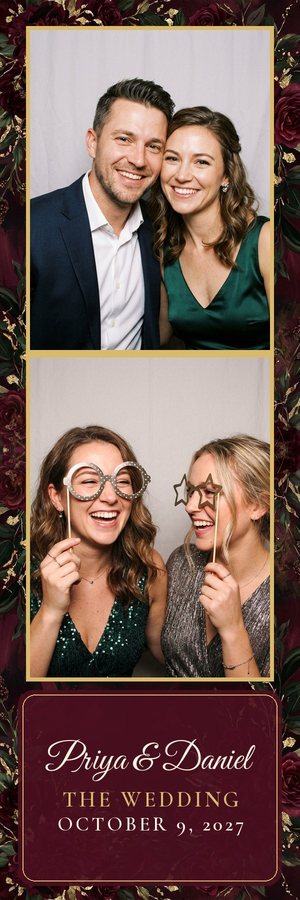
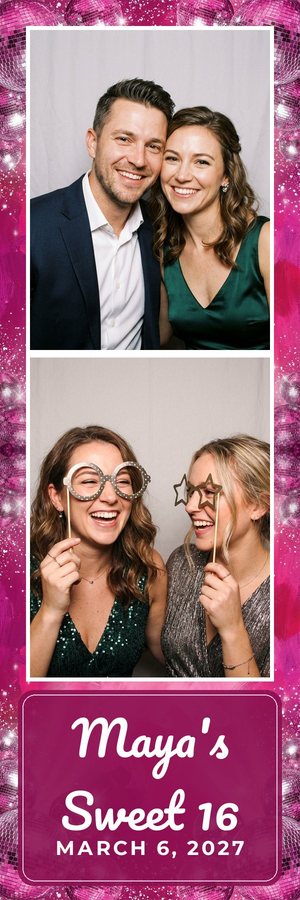
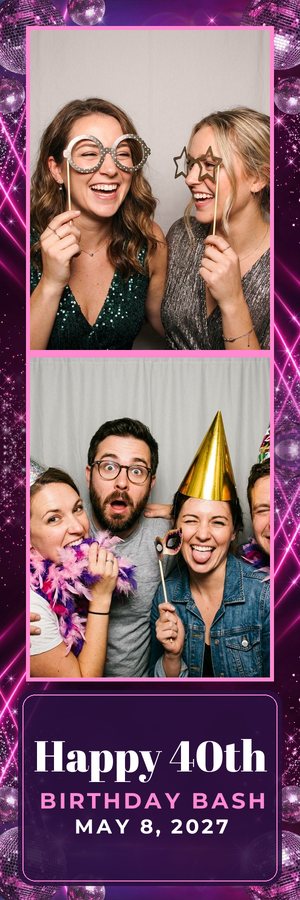
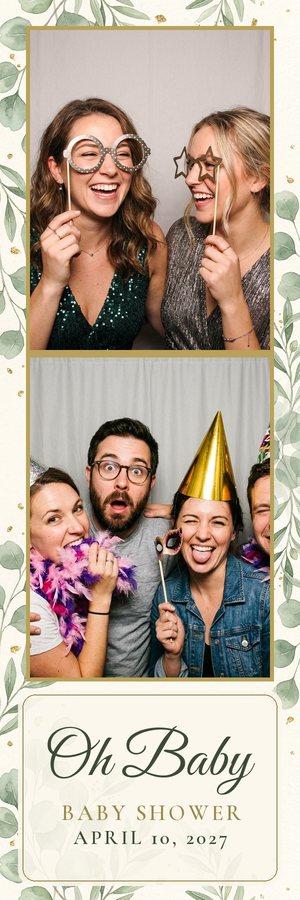
- 3 designs in about a minute. The desk paints 3 backgrounds and sets the wording. If none is right, they say what to change and get 3 more, up to 6 rounds; then the desk hands the client to you.
- They approve one, and you get the files. An email to you with links to the print file (PNG, 300 dpi), the matching touch-screen start screen, and a zip of files for most booth apps. The same files are on your dashboard.
Designs the desk made
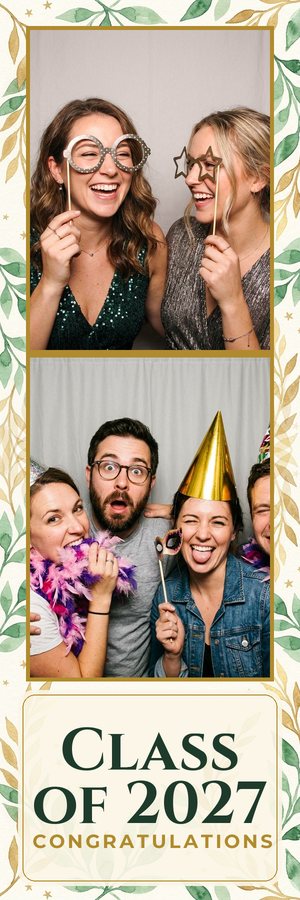
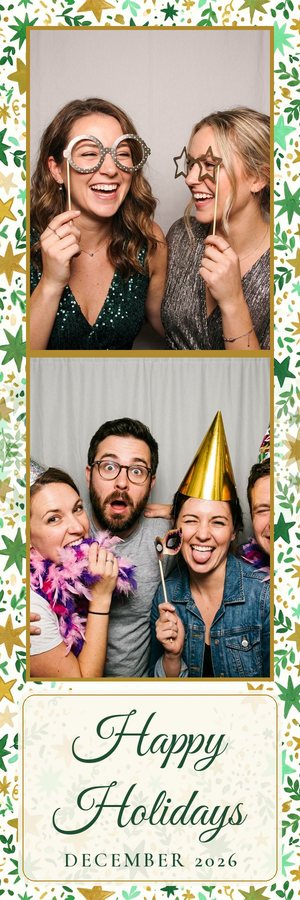
The files and sizes you get
- 2x6 strip: 600x1800 pixels
- 4x6 print, landscape: 1800x1200 pixels
- 4x6 print, portrait: 1200x1800 pixels
- 4x6 sheet with two identical 2x6 strips side by side, for printers that cut a 4x6 into strips: 1200x1800 pixels
Each size is a folder with overlay.png (the design with see-through photo windows; it goes on top of the photos), background.jpg (the same design with no windows; it goes behind them) and preview.jpg (sample photos dropped in; don't load this one). All files are 300 dpi. A README.txt gives every canvas size and every photo box (x, y, width, height in pixels), with the load steps for the booth app you pick first. We don't make Darkroom .xbdr files, and there are no 5x7 files.
Which booth apps
These match the file types and sizes that Fiesta / Salsa, LumaBooth / dslrBooth (4x6) and Breeze state on their help pages. Snappic, Touchpix and Darkroom take an overlay image too: these files should work there, not yet tested by us (we don't make Darkroom .xbdr template files). No 5x7 yet. Simple Booth sizes depend on your setup and may need resizing. In each app you place the photo boxes in the app's own editor, using the pixel numbers in the README. We don't connect to your booth app; you load the files yourself. See template sizes by booth app.
Each app's template size, from the vendor's own help page: Fiesta / Salsa template size · LumaBooth / dslrBooth template size · Breeze Booth template size · Simple Booth HALO template size · Snappic template size.
Pricing
- No card needed to start.
- An event is one client who gets designs. Trying your own link doesn't count.
- No per-event fee.
- Billed monthly by Stripe. Cancel any time.
Fair use: there is a daily design limit. On a day it is reached, new clients are asked to message again the next day.
Your own link to send clients in 30 seconds
Clients see your name, never ours
Questions
What does my client see?
A chat page on your own link, with your booth's name at the top. Every message is written as your company, and the page never shows our name or logo. The web address itself is on textadesign.com (textadesign.com/c/your-booth). If a client asks whether they're talking to a person, the desk says it's your automated design assistant and offers to bring you in.
What do I still do?
Send your link to the client. When they approve a design, load the files into your booth app yourself: we don't connect to your booth app. Check the spelling and the date before you print: the designs are made by AI, and a person does not review each one before the client sees it. The desk doesn't quote prices, change bookings or take logos or photos yet; it hands those to you, and so it does when a client still wants changes after 6 rounds.
Is there a limit?
Fair use: there is a daily design limit. On a day it is reached, new clients are asked to message again the next day.
Can I cancel?
Yes, any time. “Manage billing” on your dashboard opens Stripe's billing page, where you cancel. When the subscription ends, your desk stops making new designs and new clients are told you'll follow up personally. (We check with Stripe once a day, so this usually happens within a day of the end date.)